NSA Codebreaker 2025 - Task 2: The Hunt Continues
Tracing inconsistent DNS responses back to a router
On this page
With your help, the team concludes that there was clearly a sophisticated piece of malware installed on that endpoint that was generating some network traffic. Fortunately, DAFIN-SOC also has an IDS which retained the recent network traffic in this segment.
DAFIN-SOC has provided a PCAP to analyze. Thoroughly evaluate the PCAP to identify potential malicious activity.
Downloads
- PCAP to analyze:
traffic.pcap
Task
- Submit all the IP addresses that are assigned to the malicious device, one per line.
Writeup
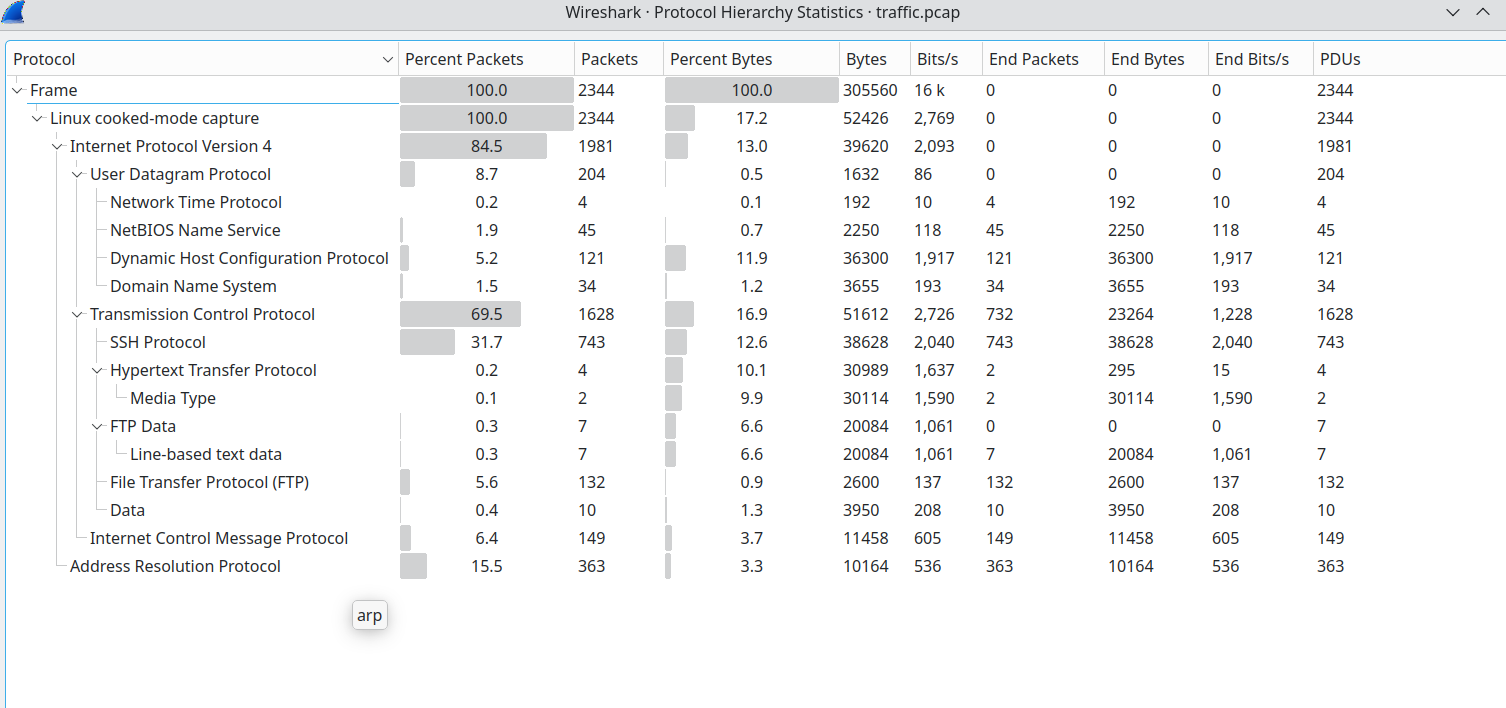
Upon opening the PCAP in Wireshark, I was greeted by approximately 2,400 packets consisting primarily of IPv4 and ARP traffic.
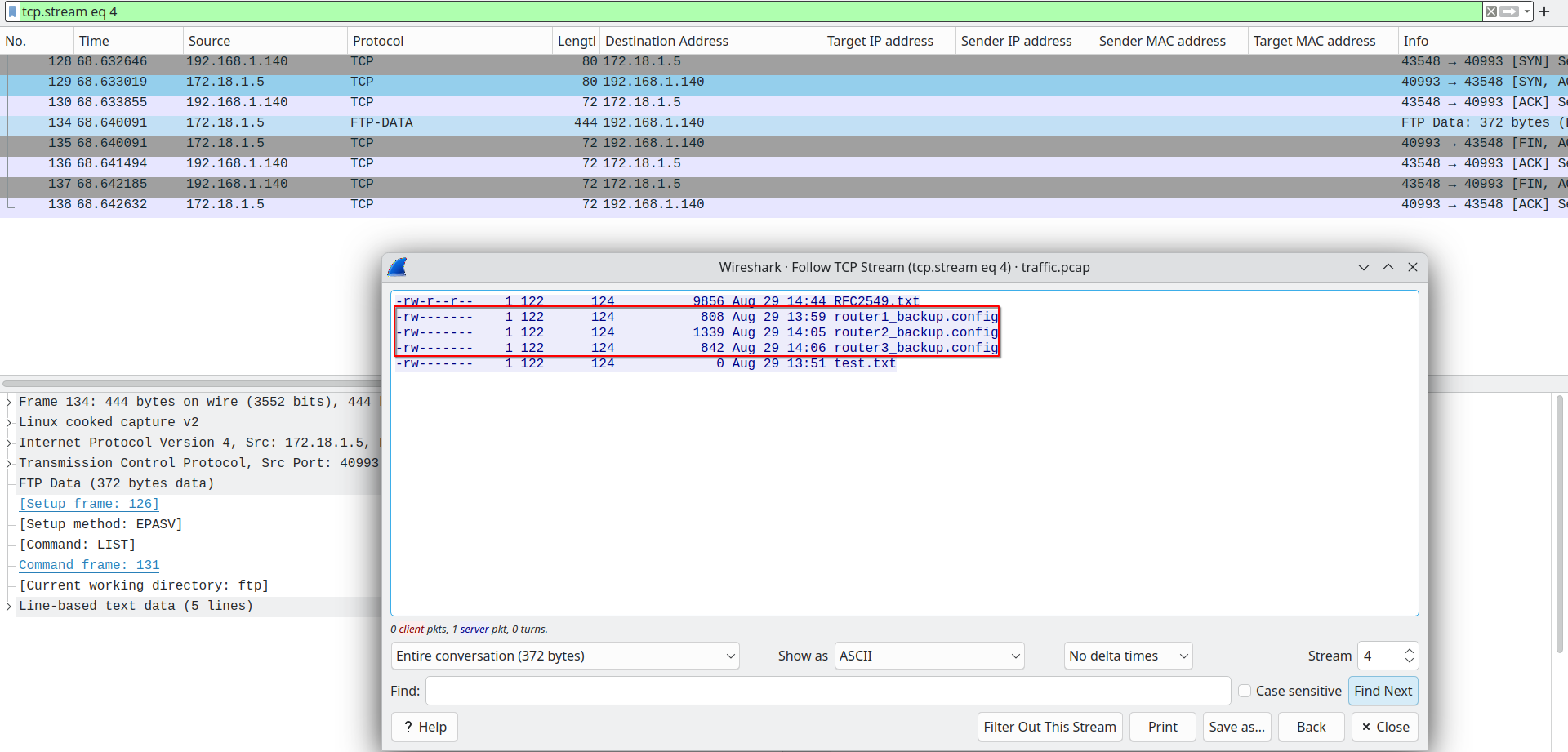
Initial reconnaissance revealed FTP traffic containing three router configuration backup files: router1_backup.config, router2_backup.config, and router3_backup.config. Since FTP transmits data in cleartext, these configurations would be accessible if I could locate the correct TCP streams.
To better understand the network topology, I used PcapXray to generate a network diagram showing the most active devices.
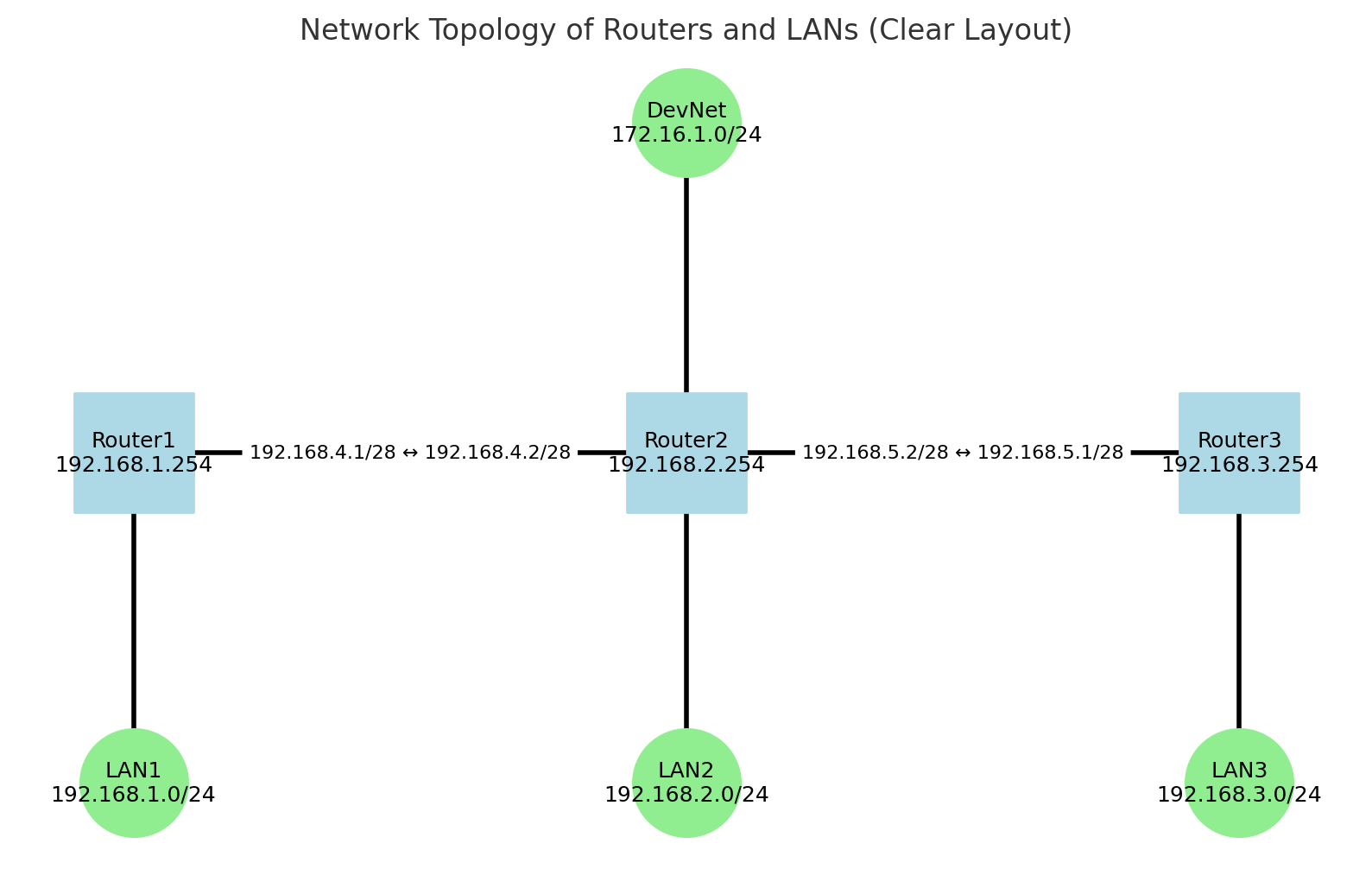
With three routers in play, I needed a methodical approach to identify which one was compromised. Rather than guessing based on traffic patterns alone, I decided to examine the DNS traffic for anomalies.
DNS Traffic Analysis
I filtered for DNS traffic using the display filter dns, which revealed 36 DNS packets. Narrowing this down to responses only (dns.flags.response == 1) showed 19 response packets.
Most DNS responses originated from 192.168.46.2 (the legitimate DNS server), but I noticed something unusual: multiple responses with the same Transaction ID.
Filtering for Transaction ID 0xc0c1 revealed three DNS responses to the same query for archive.ubuntu.com:
- Frame 538 from
192.168.2.254→ Returned legitimate Ubuntu mirror IPs (91.189.91.83, etc.) - Frame 1703 from
192.168.1.254→ Returned legitimate Ubuntu mirror IPs (91.189.91.83, etc.) - Frame 2028 from
192.168.3.254→ Returned 203.0.113.108
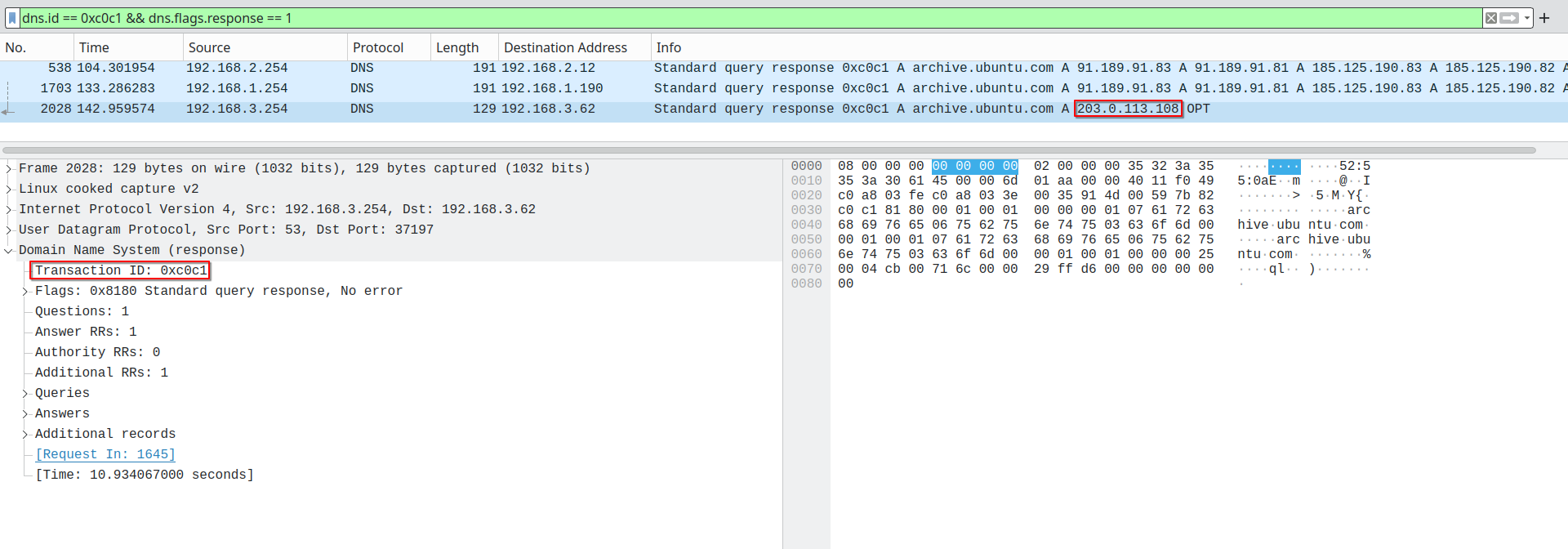
The IP address 203.0.113.108 immediately raised a red flag. The 203.0.113.0/24 subnet is part of TEST-NET-3, a reserved documentation range defined in RFC 5737 that should never appear in production traffic. This was clearly a poisoned DNS response.
Router 3 (192.168.3.254) had intercepted the DNS query and responded with a malicious IP address, attempting to redirect the client to an attacker-controlled server. This is a classic DNS spoofing attack where a man-in-the-middle device races to answer DNS queries before the legitimate server.
Extracting Router 3 Configuration
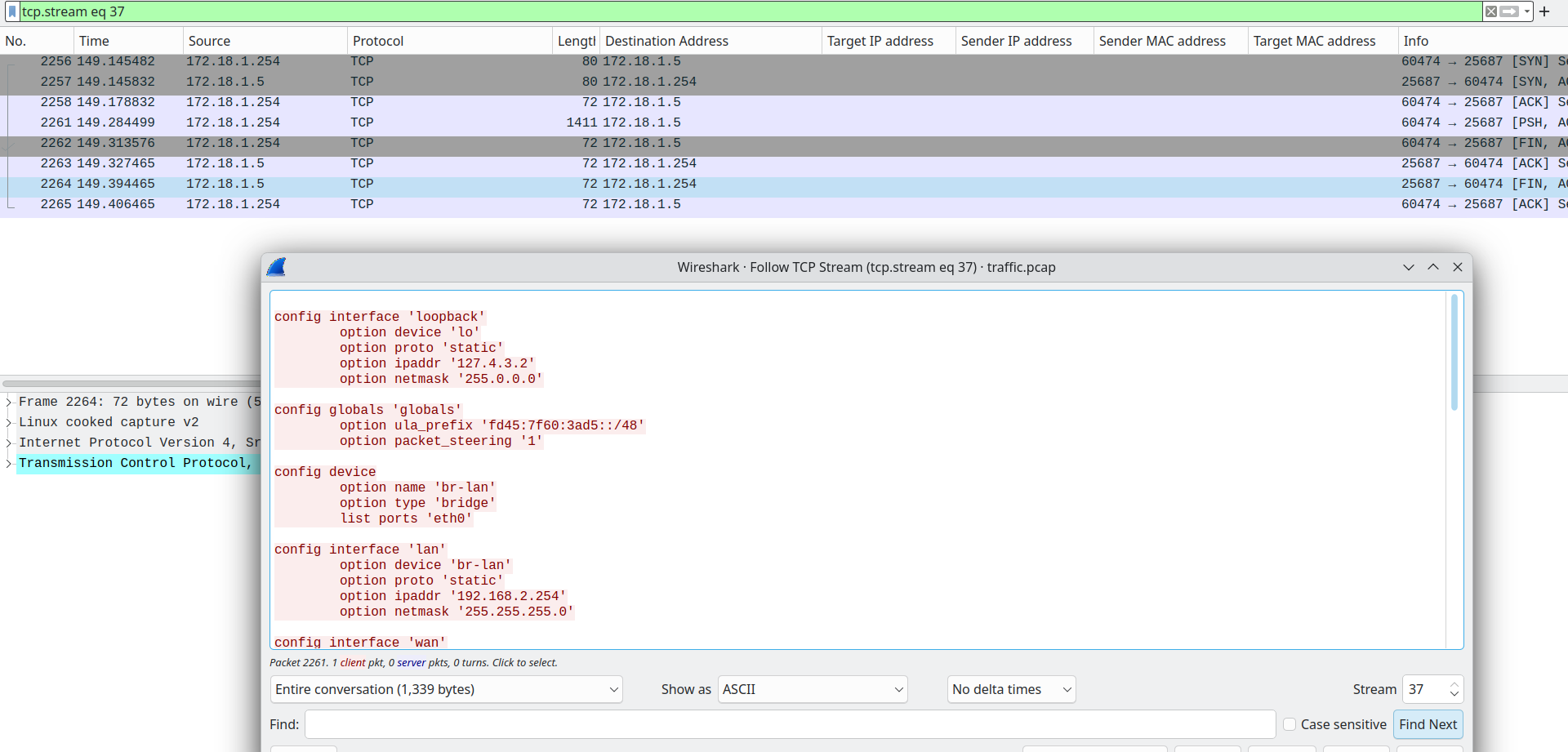
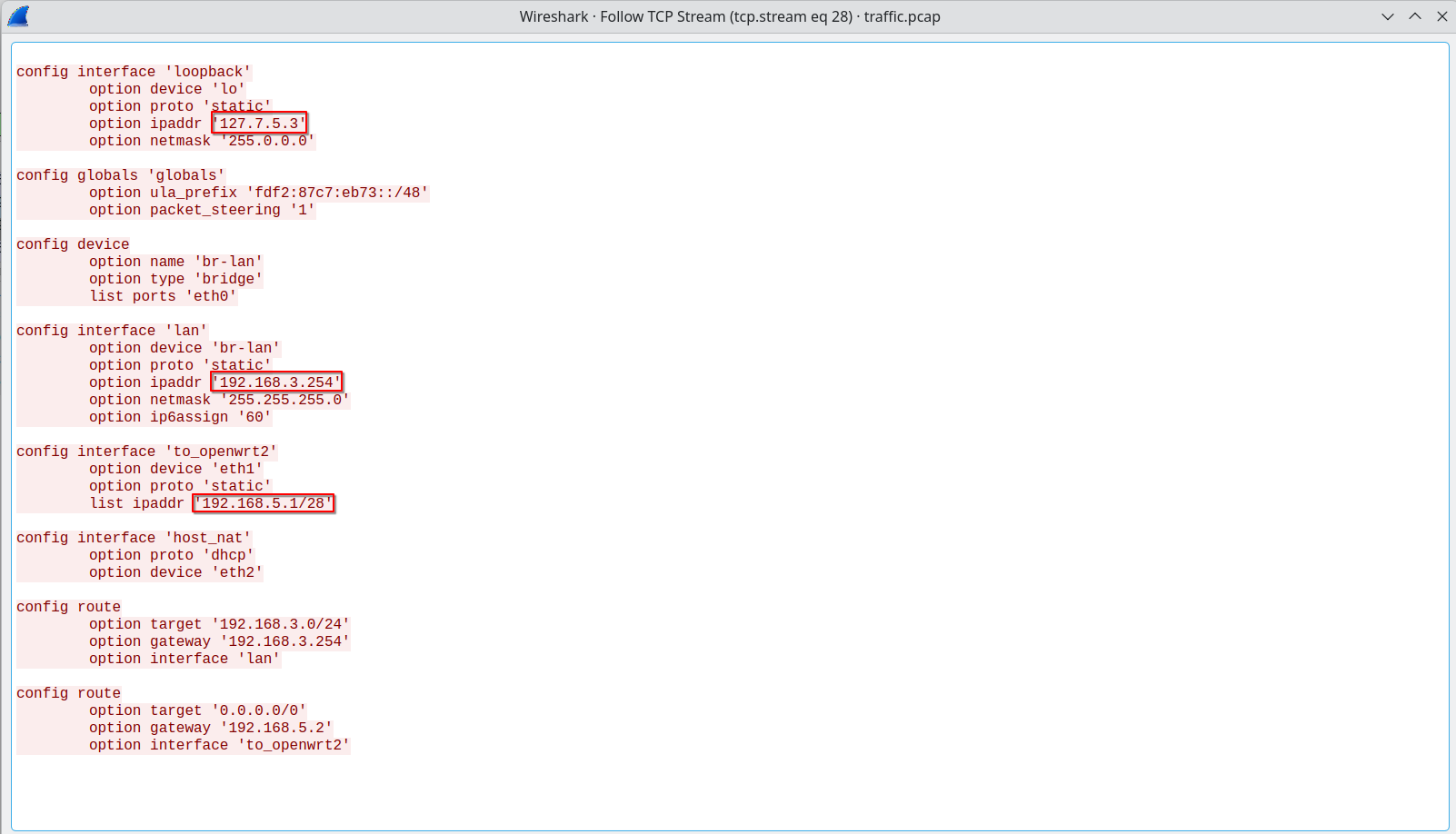
Having identified 192.168.3.254 as the malicious device, I needed to enumerate all IP addresses assigned to it. I returned to the FTP traffic and extracted router3_backup.config by following the appropriate TCP stream.
The configuration file revealed three interfaces:
config interface 'loopback'
    option device 'lo'
    option proto 'static'
    option ipaddr '127.7.5.3'
    option netmask '255.0.0.0'

config interface 'lan'
    option device 'br-lan'
    option proto 'static'
    option ipaddr '192.168.3.254'
    option netmask '255.255.255.0'

config interface 'to_openwrt2'
    option device 'eth1'
    option proto 'static'
    list ipaddr '192.168.5.1/28'
Solution
The malicious device (Router 3) had three IP addresses assigned:
- 192.168.3.254 - LAN interface (
br-lan) - 192.168.5.1 - Connection to OpenWRT2 (
eth1) - 127.7.5.3 - Loopback interface (
lo)
Submitting all three addresses successfully completed the challenge.

Success! Two down, five to go.